ClientReady Home
  • Home
  • Pricing
  • ScreenShots
  • Contact Us
  • FAQ
  • Support
  • Get A Quote
  • V2
  • V1
  • WSM
  • Adding and Deleting Pages Adding Domains Adding Pages Shopping Cart Button Categorizing Catalog items Catalog Section Changing Colors Changing Images Changing your Password Changing Text Copy and Paste Edit a Page Email Settings How to Login Make a Link Make a new page Create a image link Create cart pages Meta Tags Moving your domain Option Menus Processing Orders On Your Website Remove Item Retrieving Email Sample Templates Site Map Sub Domains Tables
  • Home
  • Software Features
  • Storefront Demo
  • Software ScreenShots
  • Tour
  • Software FAQ
  • Our Portfolio
  • Sample Designs
  • Contact Us
  • About Us

Free Trial


  • Home »
  • Documentation »
  • WSM »
  • help subdomain

help subdomain

Subdomain and Domain Name Editing

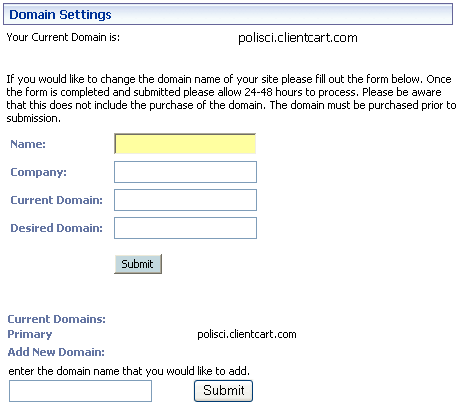
To modify the domain name where your site is located, follow these steps:

1. Login

2. Go to your "Domain Manager" from the Admin Settings menu.

3. Complete the appropriate information and click the "Submit" button.

Currently, you are limited to only a few subdomain settings.


ClientReady.com - Shopping Cart Software 2001- 2010 by ClientReady, Inc. All rights reserved.
By using this site or purchasing a product you agree to our Terms Of Service.